

Telegram Chatbots for Customer Support: AI Answers and Team Workflows
A Telegram AI chatbot for customer support is your company's Telegram bot connected to a support system: customers write to the bot, an AI assistant answers routine questions from your own materials, and your team takes over in a shared operator inbox when a person is needed. It differs from answering customers from a manager's personal Telegram account, because the conversation belongs to the company, several people can handle it, and the history stays in one place. Telegram is a convenient support channel: bots have no reply time window, but the customer must start the conversation.
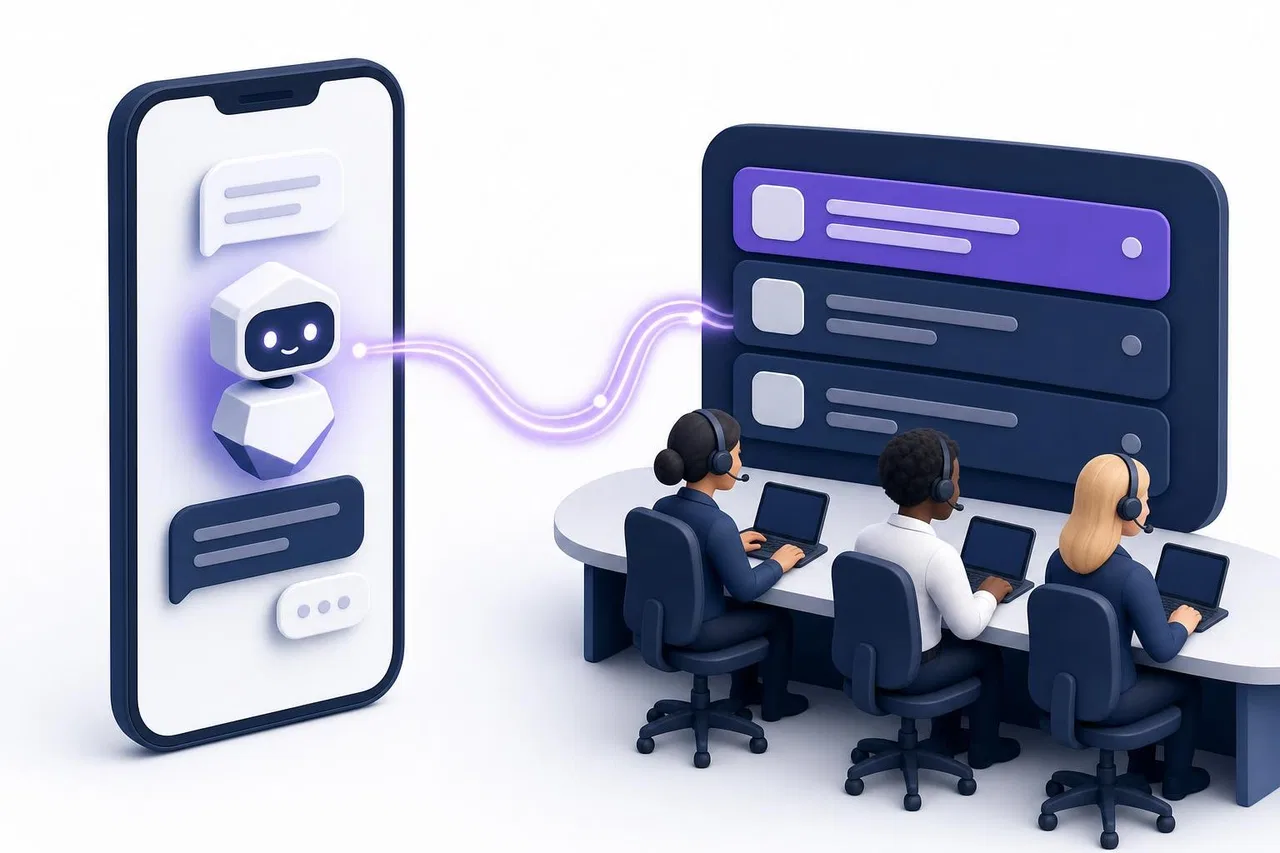
This guide explains the difference between a bot, a personal chat and an operator interface, what changed for Telegram bots in 2025 and 2026, how to give the AI the right knowledge, and how to design and test the handoff to people.
Why Telegram for customer support
Telegram is one of the largest messengers. Its founder Pavel Durov said in March 2025 that it had passed 1 billion monthly active users, as TechCrunch reported. Usage varies widely by country, so check your own customers before you invest: look at how many people ask for Telegram, or add it as an option in your website chat and count how often it's chosen.
For support teams, Telegram has practical advantages over some other messengers:
the Bot API is free and well documented;
there's no 24-hour reply window for bots, unlike WhatsApp and Instagram;
bots support buttons, menus and files, so a bot can guide a customer through simple choices.
And a few limits you need to plan for:
a bot can't write first: the customer has to start it, for example by tapping "Start";
Telegram doesn't tell bots whether a message was read;
if the customer blocks the bot, replies no longer reach them.
Bot, personal chat or operator interface: three different things
These three get mixed up, and the choice affects everything that follows.
Personal Telegram account | Company bot | Operator interface (support inbox) | |
|---|---|---|---|
What the customer writes to | A person's account | The company's @..._bot | The company's bot (the inbox sits behind it) |
Who answers | One person | Code, an AI, or people through a tool | AI and any team member |
Several agents at once | No | Only through a connected tool | Yes |
History when an employee leaves | Leaves with their account | Stays with the bot's system | Stays in the inbox |
Assignment, statuses, notes | No | Only if you build them | Yes |
AI answers | No | If you connect a model | Yes, with handoff |
A personal account works for a freelancer. For a team, it's a risk: customers depend on one person's phone, and you lose the history when that person leaves.
Telegram Business sits in between. It lets a personal account connect a chatbot that replies on its behalf. In May 2026, Bot API 10.0 allowed business bots to manage accounts without a Telegram Premium subscription (Telegram Bot API changelog). This suits a solo business owner who wants automation in their own chats, but it's still tied to one person's account.
A company bot connected to a support inbox is the team setup. The bot is the customer-facing address; the inbox is where your team and the AI work. Telegram delivers a bot's messages to only one place, so the bot has to be connected to one system at a time.
What changed for Telegram bots in 2025 and 2026
Telegram has been adding features that matter for AI chatbots. Dates are from the official Bot API changelog:
Streaming replies. Bot API 9.3 (December 31, 2025) added
sendMessageDraft, which streams a partial message to the user while it's being generated; Bot API 9.5 (March 1, 2026) opened it to all bots. Bot API 10.3 (August 24, 2026) added controls for the user to stop generation.Topics in private chats. Bot API 9.3 brought topics to private chats with bots, and 9.4 (February 9, 2026) let bots create them. A bot can keep separate threads, for example one per order.
Business bots without Premium. Bot API 10.0 (May 8, 2026) let business bots manage accounts without a Premium subscription, and added guest mode and bot-to-bot messaging.
Rich messages and ephemeral messages. Bot API 10.1 and 10.2 (June and July 2026) added richer message layouts and messages visible only to one user.
None of this changes the basics of support. Streaming makes AI replies feel faster but doesn't make them more accurate. Check which of these features your support tool actually uses; many inboxes pass messages through the standard methods.
A support scenario, step by step
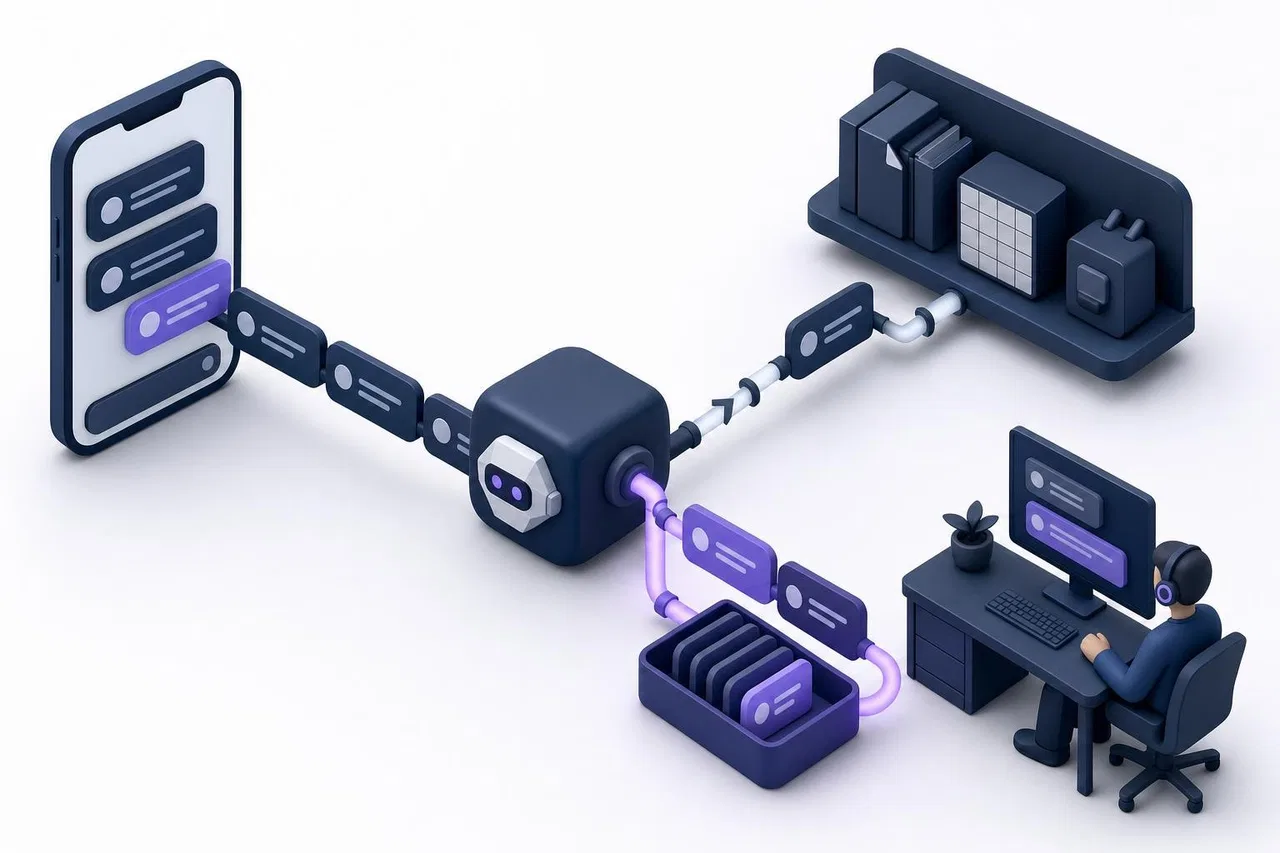
Here's how a typical conversation flows when a Telegram bot is connected to a support inbox with an AI assistant.
A customer finds your bot through your website, a link like
t.me/yourshop_bot, or a QR code, and taps "Start".They ask: "Do you deliver to Riverside on weekends?"
The message appears in the support inbox as a new request from the Telegram channel.
The AI assistant searches your delivery terms, finds the section, and answers in two or three sentences.
The customer follows up: "My order 1042 hasn't arrived." The assistant either reads the status from your order system, if it's connected and allowed, or hands the question to the team.
An agent takes the request. The assistant stops answering in it. The agent reads the history, checks the order and replies; the customer gets the reply from the same bot.
The agent closes the request. If the customer writes again, it reopens.
The customer only ever sees one bot. Behind it, the conversation moves from AI to a person without the customer having to repeat anything.
Giving the AI the right knowledge
An AI assistant is only as good as the material it answers from. For Telegram support, the same rules apply as for any channel.
Write short, specific articles with clear headings: "Delivery areas", "Weekend delivery", "Returns within 14 days". Assistants find answers by section, so one topic per heading helps.
Keep prices and stock in tables, not in prose. An assistant that can filter a table answers "the cheapest model in stock" more reliably than one reading paragraphs.
Connect live data carefully. Order status, bookings and balances should come from your system's API, read-only, and only after the customer is identified. A Telegram user ID doesn't tell you who they are in your shop.
Decide what the AI must never answer: refunds, complaints, personal data changes.
Update the source, not the bot. When delivery terms change, edit the article; the next answer should use the new version.
For a deeper guide, see How to Prepare a Knowledge Base for an AI Website Assistant. The same structure works for Telegram.
Designing the handoff to an operator
The handoff decides whether customers trust the bot. Gartner data reported by The Register in June 2025 found that 62% of customers worry AI will make it harder to reach a human agent.
Rules that work:
the customer can always ask for a person in plain words;
the AI hands over when it has no source, instead of guessing;
photos, voice messages and files go to people;
once a person takes the conversation, the AI stops answering in it;
the person sees the full history, including what the AI said;
the AI tells the customer the question has been passed on, without promising an instant reply.
Telegram's lack of a reply window helps here: if your team answers the next morning, the reply still goes through. But customers still expect a reasonable response time, so set one and state it in the bot's after-hours message.
Testing before launch
Collect 30 to 50 real questions from your existing support channels, including vague ones and messages with two questions.
Test answers before customers see them. For each question, check the answer, the source it came from, and whether the AI correctly decided to hand over.
Test the Telegram specifics: send a photo, a voice message, a file over 20 MB, edit a message, react to a reply, block and unblock the bot.
Test the handoff: ask for a person, then have an agent take the request and confirm the AI goes quiet.
Launch for part of the day first, for example after hours, and review every conversation during the first week.
Track a few numbers: questions resolved without a person, handoff rate, answers an agent had to correct, time to first human reply after a handoff.
Checklist: choosing a Telegram support setup
Does the tool connect your own bot by token, and can it take over a bot already connected elsewhere?
Do Telegram requests land in the same inbox as your website chat and other messengers?
Can AI be turned on for Telegram separately from other channels?
Does the AI stop when an agent takes over, and can the agent turn it back on?
Can you test answers and see their sources before launch?
Are photos, voice messages, files, edits and reactions passed both ways?
Can a website visitor continue the same conversation in Telegram?
Are failed replies, for example to a customer who blocked the bot, shown to the agent?
How is AI usage priced, and how are team seats counted?
How Sensever handles Telegram support with AI
Sensever connects your company's Telegram bot to a project's Requests, the shared customer inbox, where the project's AI assistant and your team work together. The facts come from the Telegram connection guide, the messaging channels guide, the project assistant guide and the channel access guide.
Connecting the bot. Create a bot in @BotFather (or use an existing one), paste its token in Projects → the project → "Channels" → "Messaging channels", and choose a department or the shared queue. Sensever sets up the webhook itself. If the bot already works with another service, a checkbox switches it to Sensever, and the "Sensever Channels" bot tells you if another service takes it over later.
What passes through. From the customer: text, photos, videos, voice messages, files, stickers, location, contacts, edits and reactions. To the customer: text, edits to your replies, reactions and files; a file over 20 MB goes as a link valid for 48 hours. A reply deleted in the request disappears for the customer if it's under 48 hours old. The customer sees "typing…" while an agent writes. Telegram doesn't pass read receipts to bots, so Telegram requests have no read marks.
AI answers in Telegram. The project's AI assistant answers new text messages in Telegram requests, from your knowledge base channels, files, tables and read-only data connectors. The "AI answers in this channel" switch turns it off for Telegram alone. A test chat shows the answer, its sources, whether it would hand over and the tokens used before anything reaches customers.
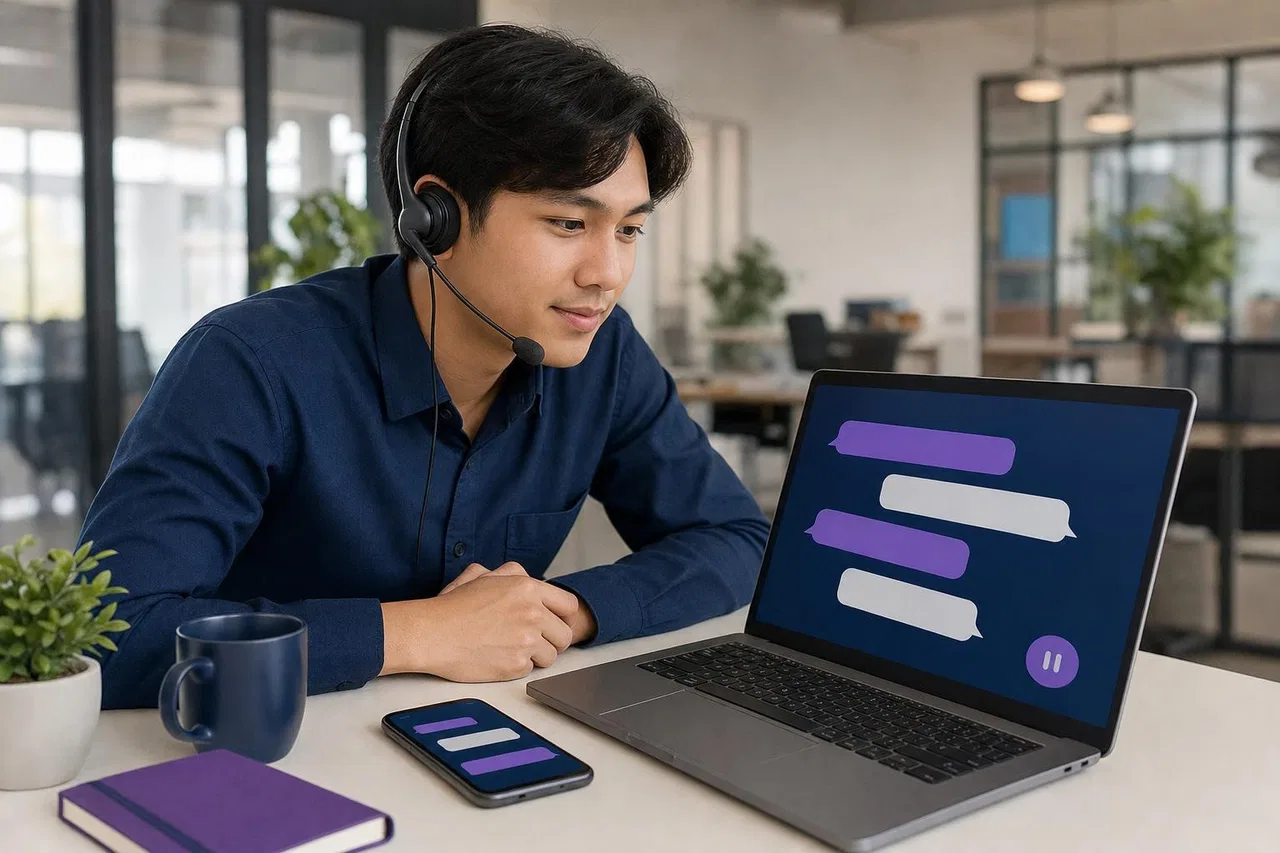
Handoff. When the assistant finds nothing to answer from in the project's files or connectors, it tells the customer it's passing the question on, and the request goes to the team as unanswered. Messages without text go to people. When an agent takes the request, the assistant pauses; the ⏸ / ▶ AI button brings it back.
Team workflow. Requests have statuses (New, In progress, Closed, Spam), assignment (manual, least-busy or round-robin), transfers to colleagues or departments, and internal notes. Channel access can limit Telegram requests to specific people. Each agent can set the Telegram source to "On home" or "Quiet" independently of the website widget.
From website to Telegram. If a visitor starts in your website widget and taps the Telegram button, the bot opens with the request code; the customer taps "Start" and the conversation continues in the same request.
Your own code instead of our model. In the assistant settings, "Your server" forwards customer messages to your own bot's webhook and returns your replies, if you want your own model and logic.
What to know: replies to a customer who blocked the bot show "Not sent". The documentation doesn't mention streaming drafts or Telegram Business connections, so don't count on them. Pricing, per the landing page: AI usage is $19 per million tokens, the project owner is free, and each additional member who answers customers is $9 per month.
Sensever also has its own bot platform with a Telegram-compatible Bot API, which runs bots inside the Sensever messenger. That's a separate feature from the Telegram channel; see moving a bot from Telegram.
FAQ
What is a Telegram AI chatbot?
A Telegram bot that uses an AI model to answer messages. For customer support, it should answer from your company's materials and hand over to people, not act as a general-purpose assistant.
Can a Telegram bot message customers first?
No. The customer has to start the bot. After that, a bot can reply at any time; there's no 24-hour window like on WhatsApp.
Is Telegram live chat possible with a team?
Yes, if the bot is connected to a shared inbox. Customers write to the bot, and any team member can reply from the inbox; the customer sees replies from the bot.
Should I use a personal Telegram account for support?
Only if you work alone. With a team, a company bot connected to an inbox keeps the history with the company and lets several people answer.
Do I need streaming replies for a good AI Telegram bot?
No. Streaming makes long answers appear faster, but accuracy, sources and a clean handoff matter more for support.
Can the same AI answer on Telegram, WhatsApp and my website?
Yes, if your platform supports several channels. Check each channel's rules separately; see WhatsApp AI Chatbots, AI Chatbots vs. Live Chat and Omnichannel Messaging.
Conclusion
A Telegram AI chatbot for customer support works best as the front door to a team inbox, not as a standalone bot or a personal account. Give the AI short, well-structured materials and read-only access to live data, decide which topics always go to people, and make the handoff instant and visible. Test with real questions and Telegram's own quirks before launch, then review conversations weekly. For a broader look at bot design, see Customer Service Chatbots.

Yorumlar