

Omnichannel Messaging: Bringing Website and Messenger Conversations Together
Omnichannel messaging means that customer conversations from your website chat and from messengers such as WhatsApp, Telegram and Instagram arrive in one shared workspace, where one team sees the full history, each conversation has a clear owner, and the reply goes back in the channel the customer chose. The difference from simply "being on many channels" is continuity: when a customer switches from your website to a messenger, the conversation and its context follow, and nobody asks them to repeat the question.
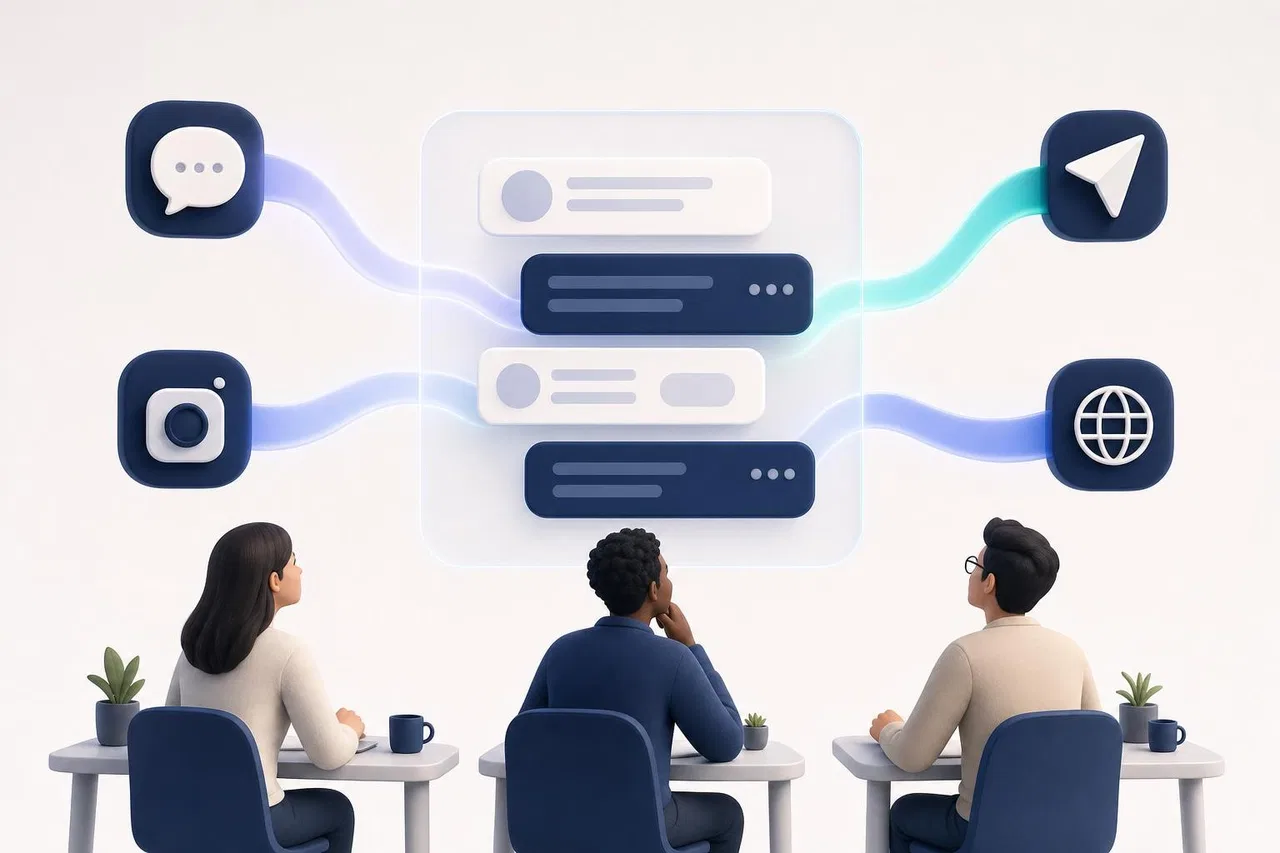
This article explains the difference between several separate channels and a shared workspace, how to assign owners and route conversations, what rules each channel imposes in 2026, and what to check before you choose an omnichannel messaging platform.
Multichannel vs. omnichannel: the practical difference
Most small businesses become multichannel by accident. Someone adds a chat widget to the website, a manager answers WhatsApp from a work phone, a marketer handles Instagram Direct, and the Telegram bot forwards messages to a group. Each channel works, but they don't know about each other.
Question | Multichannel (separate apps) | Omnichannel (shared workspace) |
|---|---|---|
Where do messages arrive? | In each messenger's own app or on a specific phone | In one list for the whole team |
Who owns a conversation? | Whoever happens to hold the phone | An assigned person, visible to everyone |
What happens when a customer switches channel? | A new conversation starts from zero | The same conversation continues with its history |
How is work shared? | Forwarding screenshots, "can you answer this?" | Assignment, transfer to a colleague or department |
What if someone is on vacation? | Messages wait on their phone | Routing gives the conversation to someone available |
Can you measure response time? | Not across channels | Yes, per conversation and per team |
Where is the customer's history? | Spread across apps and devices | In one conversation record |
The table is also a quick self-test. If most of your answers sit in the left column, you don't need more channels; you need the existing ones in one place.
What "bringing conversations together" actually involves
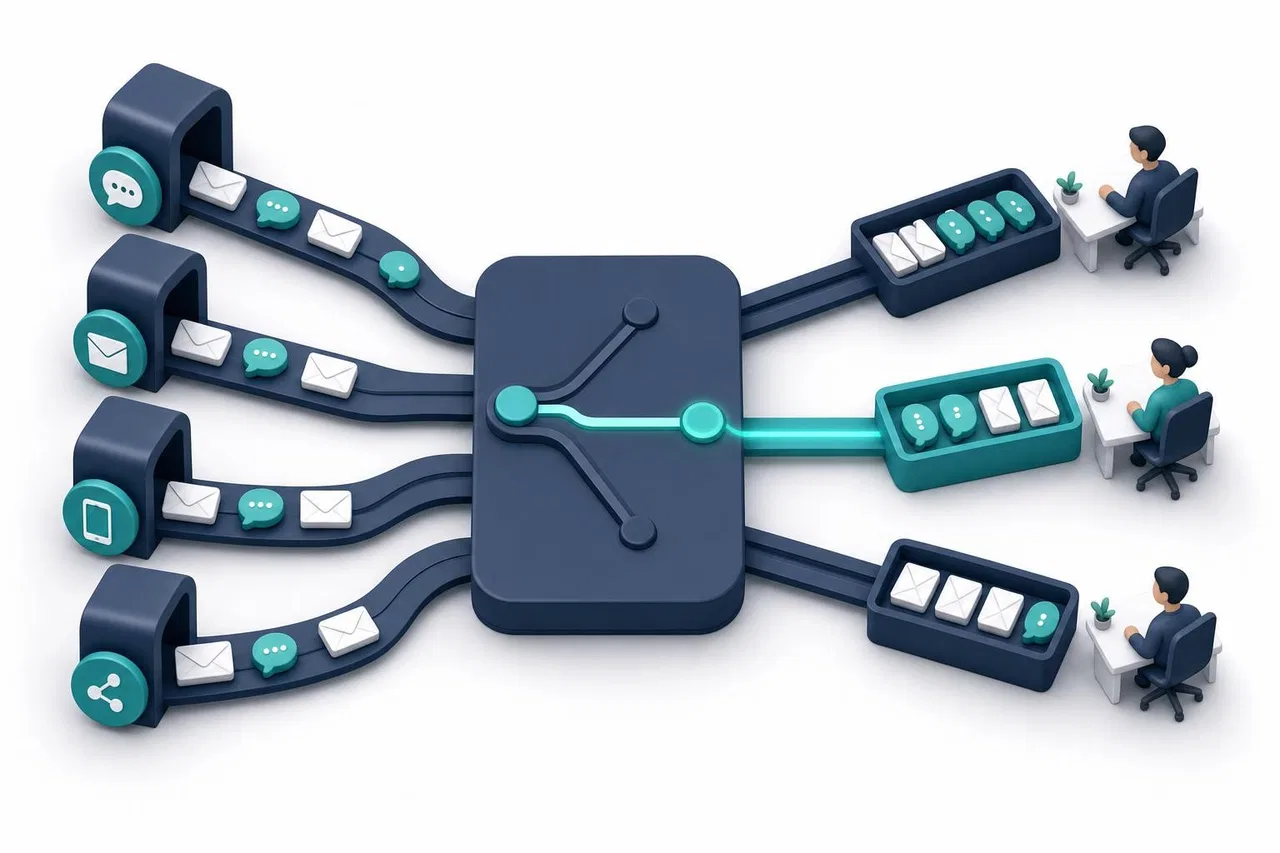
An omnichannel chat platform has to solve four separate problems. Vendors tend to talk about the first one and gloss over the rest.
1. One list, many sources
Every incoming message, whatever the channel, lands in a shared queue. Each conversation shows where it came from, so an agent knows whether the reply will go to WhatsApp or to the website chat, because the rules differ.
2. Context that survives a channel switch
Customers move between channels for their own reasons: they start on your website on a laptop and continue on the phone in a messenger. The platform needs a reliable way to recognize that this is the same person and the same question. Matching by name rarely works; good systems use an explicit handoff, for example a code or a link that carries the conversation ID into the messenger.
3. Ownership and assignment
Someone must be responsible for each open conversation. That can be manual (a team lead assigns), automatic (round-robin, or the least-busy available person), or a mix. Equally important is what happens when the owner doesn't reply in time or goes offline: the conversation should go back to the queue instead of waiting silently.
4. Routing and access
Different channels often belong to different people. Sales may handle Instagram, support handles the website chat, and a regional team handles WhatsApp. Routing sends new conversations to the right queue, while access rules decide who can see them at all. These are related but different settings, and confusing them leads either to overexposure (everyone sees everything) or to lost messages (nobody sees a channel).
Channel rules you can't ignore in 2026
A shared workspace doesn't make the channels identical. Each messenger has its own rules, and an omnichannel messaging setup has to respect them. Note the conditions of each channel separately; don't assume what works in one works in the others.
Channel | Who can write first | Reply window | Costs set by the platform | Notes |
|---|---|---|---|---|
Website chat | The visitor | No platform limit | None from a messenger | You control the widget, identity and history |
WhatsApp (Business Platform) | The customer, or the business with an approved template | 24 hours after the customer's last message; after that only templates | Per-message pricing by Meta | Templates need Meta approval |
Instagram Direct | The customer | 24 hours; up to 7 days for human agents with Meta's human_agent permission | No WhatsApp-style rate card; check Meta's current terms | Requires a professional account and a Meta app |
Telegram bot | The customer must start the bot | No time window | None for the Bot API itself | A bot can't message someone who never started it |
WhatsApp: per-message pricing and the 24-hour window
Meta switched the WhatsApp Business Platform to per-message pricing on July 1, 2025. According to Meta's pricing documentation, businesses pay for delivered template messages (marketing, utility and authentication) and, since October 1, 2026, for service messages beyond a free tier of 1,000 per business phone number per month. Utility templates sent inside an open customer service window, which were free from July 2025, are also charged as of October 1, 2026 (Meta: pricing updates). Free-form replies are only possible within 24 hours of the customer's last message; after that, you need an approved template.
For an omnichannel team, this means two things. Agents need to see whether a WhatsApp conversation's window is still open, and someone has to own the templates. Costs now depend on how many messages you send, not just how many conversations you have, so long back-and-forth threads cost more than they did in early 2025.
Instagram and Telegram
Instagram also has a 24-hour window, extended to seven days for replies from a human agent if Meta approves your app for the human_agent permission. Telegram bots have no reply window, but the customer has to start the conversation: a bot can't message someone first. Telegram also doesn't tell bots whether a message was read, so read receipts in your inbox won't work for that channel.
AI in an omnichannel setup
AI assistants are now a standard part of omnichannel customer engagement platforms, and three questions come up in almost every evaluation.
Should AI answer in every channel? Not necessarily. Many teams let an assistant answer routine questions on the website and keep a messenger like WhatsApp for people, because customers there are often existing clients with specific orders. Look for a per-channel switch.
How does a human take over? The assistant should step back the moment a person takes the conversation, and the person should see everything the assistant said. Customers care about this: Gartner data reported by The Register in June 2025 found that 62% of customers worry AI will make it harder to reach a human agent.
What do the rules say? Since August 2, 2026, the EU AI Act requires that people be informed when they interact with an AI system; the Digital Omnibus postponed high-risk obligations but left this transparency duty in place (Gibson Dunn, 2026). On WhatsApp, Meta's terms bar general-purpose AI assistants as a product, but business customer-service bots remain allowed; details are in WhatsApp AI Chatbots.
Avoiding omnichannel inbox fatigue
Putting every channel into one list can create a new problem: one long, noisy queue where everything looks equally urgent. Teams describe the same symptoms: too many notifications, agents cherry-picking easy conversations, and important messages buried under spam.
Practical ways to keep the queue usable:
Split conversations by department or channel queue, so each person sees only what is theirs to handle.
Use personal notification settings: an agent can keep their own channel loud and make the others quiet.
Set a response deadline after which an unanswered conversation goes back to the queue.
Limit how many active conversations one person can hold at a time.
Mark spam explicitly so it doesn't come back with every new message.
Close conversations when they are resolved, and let a new message from the customer reopen them.
How to set up omnichannel messaging: step by step
List your channels and their owners. For each channel, note who answers today, on which device, and roughly how many conversations come in per week.
Decide on queues. One shared queue works for a team of three. Beyond that, create departments, for example "Sales" and "Support", and decide which channel feeds which queue.
Decide who sees what. Write down which channels each person needs. Owners and admins usually see everything; agents see their channels.
Choose an assignment method. Manual, round-robin or least-busy. Set the response deadline and a per-person limit.
Connect the channels one at a time. Start with the website chat, then add messengers. Test each with a message from your own phone before announcing it.
Prepare the channel-specific pieces. For WhatsApp: approved templates for follow-ups outside the 24-hour window, and a payment method in Meta. For Instagram: the Meta app published. For Telegram: a public bot username.
Decide where AI answers. Turn it on channel by channel, starting where questions are most repetitive, and test it with real questions first.
Review after two weeks. Look at unanswered conversations, response times per channel and where customers switched channels.
Checklist: questions for any omnichannel messaging platform
Which channels are supported today, and how does each connect (official API, your own app, a partner)?
Does a conversation continue when a customer moves from the website to a messenger?
Can you assign, transfer and limit conversations per person?
Can you restrict a channel to specific people or departments?
Does the agent see channel-specific limits, like WhatsApp's 24-hour window?
Can you send WhatsApp templates from the conversation?
Can AI be turned on or off per channel, and does it stop when a human takes over?
Who bills you for messenger fees: the platform or Meta directly?
What happens to history when you disconnect a channel?
Is email part of the same queue, or a separate tool?
How Sensever brings website and messenger conversations together
In Sensever, a project is the shared workspace for customer conversations, and Requests is the team's queue. The details below come from the messaging channels guide, customer support guide and channel access guide.
Channels in one queue. A project receives requests from its website chat widget, its contact page and connected messengers: WhatsApp (through Meta's Cloud API and your own Meta app), Telegram (your company's bot), Instagram Direct (through your own Meta app) and MAX. Each new customer message lands in that customer's request, and the agent's reply goes back in the same messenger. A project can have one channel per messenger.
Context across a switch. If a customer starts in the website widget and then taps a messenger button, the conversation continues in the same request with the full widget history. Telegram and MAX open the bot with the request code, Instagram passes a request tag, and WhatsApp pre-fills a message with a code like SV-K7M2Q9AB. The code is valid for 14 days and works once.
Routing and ownership. Assignment can be manual, least-busy (the default) or round-robin. Candidates must be online, have the right permissions and be under their limit of active requests. If the assigned agent doesn't reply within the wait time (5 minutes by default) or becomes unavailable, the request can pass to another eligible agent. Statuses are New, In progress, Closed and Spam; internal notes are visible only to the team.
Departments and channel access. Each messenger has a department for new requests. "Channel access" decides who on the team sees each channel's requests: the whole team, or selected departments and people. Auto-assignment and notifications respect that access.
Channel rules in the conversation. The agent sees "Not sent" when WhatsApp's or Instagram's 24-hour window has closed. In WhatsApp requests, approved text templates can be sent from the conversation. Undelivered replies can be retried.
AI per channel. The project's AI assistant can answer in the widget, the contact page and the messengers, and every channel has its own "AI answers in this channel" switch. When an agent takes a request, the assistant pauses in it.
Channel health. The "Sensever Channels" bot tells the owner and admins when a token is revoked, Meta restricts the account or a channel goes silent for more than 24 hours.
Limits worth knowing: email isn't one of the project channels. WhatsApp coexistence mode (using the Business app and the API on the same number) isn't supported yet. WhatsApp templates with a media header or variables in buttons can't be sent from a request yet. Meta bills WhatsApp fees directly, and Sensever isn't involved in those payments. Sensever's own prices, per the landing page: the project owner is free, each additional member who answers customers is $9 per month, and the AI assistant is $19 per million tokens.
FAQ
What is omnichannel messaging in simple terms?
It's one shared place where your team answers customers from all your messaging channels, with the conversation history kept together even when the customer switches channels.
Is omnichannel the same as a unified inbox?
They overlap. A unified inbox is the screen where conversations from several sources appear together; omnichannel is the wider approach that also covers context across channels, routing and ownership. See What Is a Unified Inbox?
Do I need every channel to be omnichannel?
No. Connect the channels your customers actually use. Two well-run channels beat five that nobody watches.
How much does WhatsApp cost in an omnichannel setup?
Meta charges per delivered message for templates and, since October 1, 2026, for service messages beyond 1,000 free per number per month. Rates vary by country; check Meta's current rate card. Your messaging platform's fees come on top of that.
Can a customer start on the website and continue in WhatsApp?
Yes, if the platform supports a handoff. The platform has to link the messenger conversation to the existing one, usually with a code or a link, so the agent sees the earlier messages.
Where does CRM fit in?
Omnichannel messaging handles the conversation; a CRM tracks the customer, deals and follow-ups. How to connect them is covered in WhatsApp CRM Integration and Customer Engagement Platforms.
Conclusion
Omnichannel messaging is not about adding more channels. It's about making the ones you have work as one: a shared queue, conversations that keep their context when customers switch, a clear owner for each request, and routing and access that match how your team is organized. Respect each channel's rules, especially WhatsApp's 24-hour window and per-message pricing, decide where AI should answer, and review the queue after the first two weeks.

মন্তব্য