

CRM Implementation Plan: A Pilot, Data Migration, and Team Adoption
A good CRM implementation project plan has seven stages: agree on goals and owners, map the processes the CRM must support, clean and migrate the data, configure the system, run a pilot with real work, train the team and launch, then check quality and adoption for the first 90 days. For a small or mid-size team this usually takes four to twelve weeks. The work that decides success is not the software setup but the data cleanup, the pilot and the habits you build after launch.
This guide assumes you have already chosen a CRM. It walks through each stage with deliverables, a responsibility table, a data migration checklist and a go-live readiness checklist.

Why CRM implementations stall
Most CRM projects do not fail on day one. They fade: the team keeps working in spreadsheets and chats, records go stale, and after six months nobody trusts the reports. The usual causes are predictable:
No clear goal, so every team adds fields "just in case".
Dirty data imported as is, so duplicates and wrong contacts appear on day one.
Processes copied from the old tool without asking whether they still make sense.
Training given once, before people have real work in the system.
No owner after launch.
Data is the most common weak point, and it matters even more now that CRMs include AI features. In Salesforce's State of Sales report (February 2026, 4,050 sales professionals), 74% of sales professionals said they are focusing on data cleansing, and 51% of sales leaders with AI said disconnected systems are slowing their AI initiatives. Validity's State of CRM Data Management in 2026 (August 2026, 500 marketers) found that only 21% say their CRM data is "very well prepared" to support AI. If you plan to use AI in your CRM later, clean data now is the cheapest preparation.
Stage 1: Goals, scope and owners
Set measurable goals
Write three to five goals that the CRM must achieve in its first six months. Good goals are specific and observable:
Every inbound inquiry is recorded and assigned within one business day.
The weekly pipeline review uses the CRM report, not a spreadsheet.
No deal sits in the same stage for more than 30 days without a next activity.
Customer contact details live in one place, with no duplicates for active customers.
Avoid goals like "improve sales" that you cannot check.
Define the scope of the first release
Decide what is in the first release and what waits. A common first release covers contacts, companies, deals with one pipeline, activities and basic reports. Marketing automation, complex quoting, customer portals and deep integrations often wait for a second phase.
Name the owners
Role | Responsibility | Typical person in a small company |
|---|---|---|
Executive sponsor | Approves goals and scope, resolves conflicts, insists on usage | Founder or head of sales |
Project owner | Runs the plan, tracks deadlines, owns the system after launch | Sales operations or an office manager |
Process owners | Define how sales, support or delivery work in the CRM | Team leads |
Data owner | Cleans, maps and migrates data; sets data rules | Whoever knows the old data best |
Pilot users | Use the CRM for real work and report problems | Two to five people from the busiest team |
Technical contact | Integrations, imports, permissions | Internal IT, a developer, or the vendor's support |
One person can hold several roles, but every role needs a name.
Stage 2: Map the processes
Before you touch settings, write down how work actually moves. For sales, this is usually a short list of stages and what must be true to move a deal forward. For example:
Stage | Entry rule | Required fields |
|---|---|---|
New | A real inquiry with a contact | Contact, source |
Qualified | Need, budget and timing confirmed | Amount estimate, expected close date |
Proposal | Proposal sent | Proposal amount |
Negotiation | Client responded to the proposal | Next activity date |
Won / Lost | Signed, or a clear no | Loss reason if lost |
Do the same for any other process the CRM will hold: onboarding after a sale, support cases, renewals. Keep the first version short. You can add stages later; removing them after people have used them is harder. Our guide to CRM workflow automation helps decide which steps to automate once the process is stable.
Also define data rules: which fields are required, who may create companies, how names and phone numbers are formatted, and what counts as a duplicate.
Stage 3: Data migration
Inventory your sources
List every place customer data lives today: the old CRM, spreadsheets, email contacts, accounting software, messenger chats, business cards. For each, note the owner, the number of records, and how current it is.
Decide what to migrate
Not everything deserves to move. Typical rules:
Migrate active customers, open deals and contacts with activity in the last 24 months.
Archive older records in a file rather than importing them.
Migrate closed deals only if you need them for reports.
Do not migrate notes that have no owner or meaning.
Clean before you import
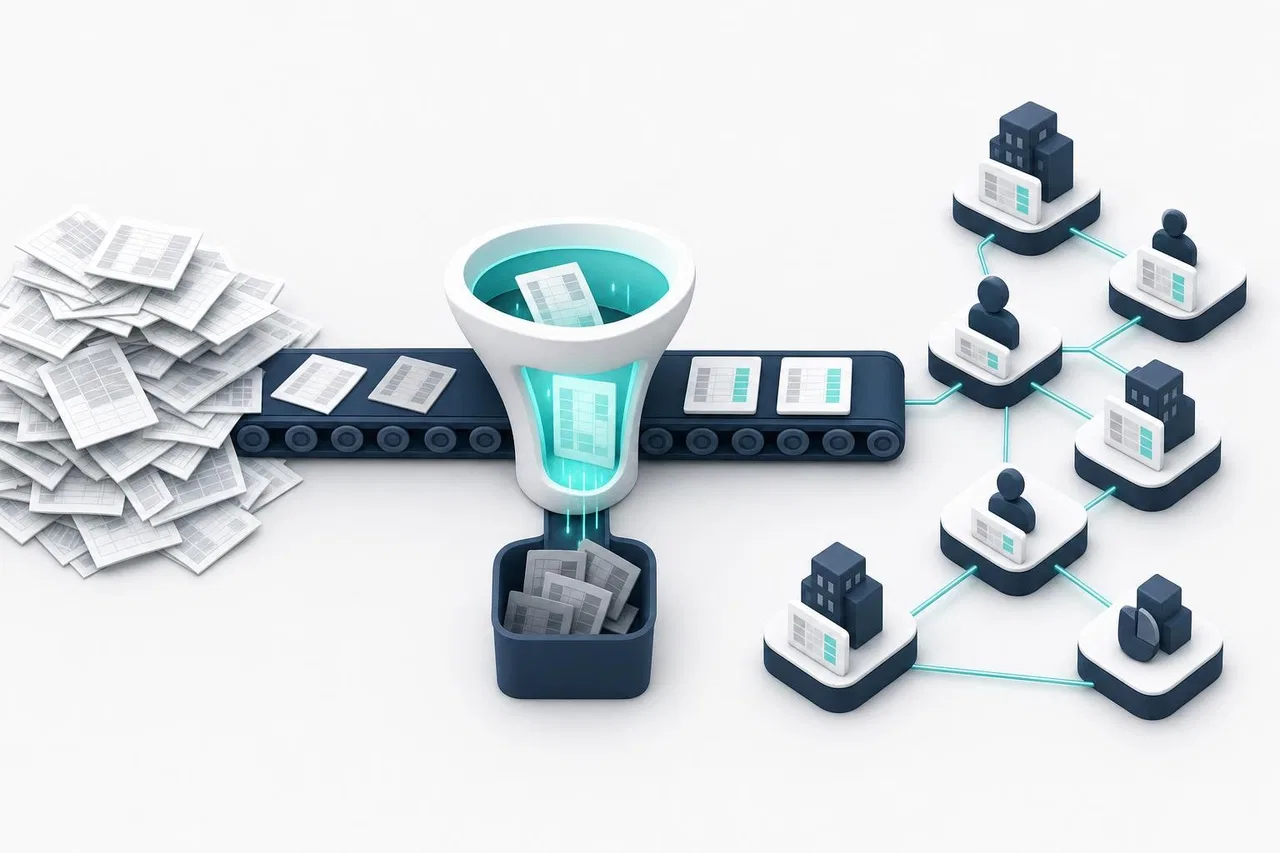
Cleaning in a spreadsheet is faster than cleaning in a CRM. Remove duplicates, standardize company names, fix phone and email formats, split full names if the CRM needs first and last names, and fill in required fields. See our guide on keeping a CRM contact database clean.
Map fields
Create a mapping table: old column, new field, data type, transformation, and an example. Watch for selects and stages: the old tool's values must map to the new system's options exactly.
Handle privacy
Migration is a good moment to check what personal data you hold and why. Remove contacts with no legitimate reason to keep them, respect opt-outs, and record where the data came from. If you are in the EU or serve EU residents, follow your GDPR obligations and check with your counsel.
Test, then import, then reconcile
Import a sample of 50–100 records into a test area or a test workspace.
Check every field, including dates, currencies and selects.
Fix the mapping and repeat until the sample is right.
Import the full set in the right order: companies first, then contacts, then deals, then activities, so relations can be linked.
Reconcile counts: records in the source versus records created, updated, skipped and with errors.
Plan a final "delta" import of records changed during the project, just before launch.
Data migration checklist
All sources listed with owners
Migration rules agreed (what moves, what is archived)
Duplicates removed and formats standardized
Field mapping table approved by process owners
Sample import checked field by field
Import order planned so relations can be linked
Counts reconciled after the full import
Delta import scheduled before go-live
Old system set to read-only after launch
Stage 4: Configure the system
Configure only what the first release needs:
Objects and fields from your process map and data rules, nothing extra.
Pipeline and statuses matching the stages and entry rules.
Views for each role: "My open deals", "Deals without next activity", "Closing this month".
Permissions and roles: who can see and edit what. Give view-only access where editing is not needed.
Notifications and reminders for assignments and due dates.
A few automations with clear value, such as notifying a new owner or creating an onboarding project when a deal is won. More in CRM task management.
Reports that replace the spreadsheets people use today.
Write down every setting you change. That list becomes your system documentation.
Stage 5: Run a pilot
A pilot uses the CRM for real work with a small group for two to four weeks before everyone switches.
How to run it
Choose two to five pilot users who handle real deals or requests every day, including at least one skeptic.
Agree that during the pilot, their work lives in the CRM, not in the old tool.
Hold a 15-minute check-in twice a week: what was hard, what was missing, what was confusing.
Fix problems quickly and keep a change log.
At the end, compare the pilot against your goals: are inquiries recorded on time? Can the weekly review run from the CRM?
What to watch
Fields nobody fills in (remove them or explain why they matter).
Stages people skip (merge or rename them).
Workarounds in chats or spreadsheets (find out why).
Time to log a typical activity (if it takes more than a minute, simplify).
Stage 6: Training and launch
Train on real work
Train each role with its own records and tasks, not a generic demo. Keep sessions short: 45 minutes per role, with a one-page guide covering daily actions: create a deal, log an activity, move a stage, find "my" work. Record the session for new hires.

Choose a launch approach
Big bang: everyone switches on one date. Simple for small teams; requires a good pilot.
Phased: one team at a time. Safer for larger teams; requires a temporary sync between old and new tools.
Go-live readiness checklist
Goals and success metrics written and shared
Process owner named for each process in the CRM
Final data imported and counts reconciled
Roles and permissions checked with real users
Views and reports ready for each role
Notifications and reminders tested
Pilot issues resolved or scheduled
One-page guide and recorded training available
Old tool set to read-only from launch day
Support channel for questions during the first two weeks
Stage 7: Quality control and adoption
The first 90 days decide whether the CRM becomes the place where work happens.
Weekly for the first month
Run the pipeline meeting from the CRM report only.
Review a "data quality" view: deals without next activities, contacts without companies, duplicates.
Collect questions and update the one-page guide.
Monthly after that
Compare results with the goals from Stage 1.
Remove fields and views nobody uses.
Add one improvement at a time, such as a new automation or report.
Adoption metrics
Metric | What it shows |
|---|---|
Share of new inquiries recorded within one business day | Whether the CRM captures work |
Deals with a next activity date | Whether the pipeline is managed |
Active users per week versus licensed users | Whether people actually use it |
Duplicates created per month | Whether data rules are followed |
Reports used in management meetings | Whether leaders rely on it |
How Sensever helps
If you are implementing a CRM with Flow, the Sensever section for tasks, deals and team work, several of its features map directly to the stages above. Here is what is documented today.
Stage 4 starts from a template. A new workspace from the "CRM" template creates companies, contacts, deals with the stages "New", "Qualified", "Proposal", "Negotiation", "Won" and "Lost", activities and onboarding projects, plus a "Pipeline" board, role views such as "My deals" and a shared "Sales" dashboard. You add or change fields and statuses yourself; schema changes go through a draft and are published as a new version. See Flow: workspaces and templates.
Stage 3 uses CSV import. Each type's table imports CSV files up to 10 MB and 100,000 rows. Columns are mapped to fields, and for existing objects you choose to create new ones, skip found ones, or update them by a key field such as email. Every row is checked like a manual entry, and the result shows created, updated, unchanged, skipped and error rows with reasons. Two details matter for planning: relation fields are not filled by import, so you link contacts to companies and deals afterward, and an empty cell never clears a value. See Flow: CSV import and export.
Stage 5 pilots in a separate workspace. Workspace data never mixes, so you can pilot in one workspace and keep it separate from others. When the setup is right, "Download template" saves the workspace's types, fields, statuses, views and automations to a file (without data), and you can create a new workspace from that file.
Permissions and cost during rollout. Roles include owner, admin, member and viewer, with custom roles and field permissions. Viewers are free, so managers who only review the pipeline do not add cost. Each additional staff member who can change data costs $5 per month, prorated by time; one person uses Flow for free. See Flow: members, roles, teams and billing.
Stage 7 tools. Reports include a dashboard, a funnel with conversion between stages, time in status and SLA limits per status. Every object keeps a change history, and automations have a run log.
Limits to plan around. Flow has no AI features and does not send emails to customers; customer conversations from your website and messengers live in Sensever Requests, a separate section. For integrations with other systems, use the Flow API and webhooks. A full product overview is in Flow CRM by Sensever.
FAQ
How long does a CRM implementation take?
For a small or mid-size team with one main process, four to twelve weeks is typical: one to two weeks for goals and process mapping, one to four for data, one to two for configuration, two to four for the pilot, and a week for training and launch.
What should a CRM implementation project plan include?
Goals and scope, named owners, process maps, a data migration plan, configuration tasks, a pilot, training, a launch checklist and a 90-day quality and adoption review.
Should we migrate all our old data?
No. Migrate active customers, open deals and recent contacts. Archive older data in a file you can search if needed.
Who should own the CRM after launch?
One named person, usually from sales operations or the team that relies on the CRM most. Without an owner, fields multiply and data quality drops.
Is a pilot necessary for a small team?
Yes, even a short one. Two weeks with a few real users reveal confusing fields and missing steps that are expensive to fix after everyone has started.
How do we get people to actually use the CRM?
Run meetings from CRM reports, make it the only place where deals and assignments live, keep data entry quick, and remove fields that nobody needs.
Conclusion
A CRM implementation succeeds when the plan treats data and habits as seriously as settings. Set a few measurable goals, name owners, clean data before importing it, configure only what the first release needs, prove it in a pilot, train on real work, and review quality every week for the first month. If you are still at the selection stage, start with how to choose CRM software.

Comments